
FIRE STUDIO LICENSE PORTAL INSTRUCTIONS
Tutorial Video: Click Here
Here is the link to the License Portal:
https://secure.softwarekey.com/solo/customers/CustomerHome.aspx
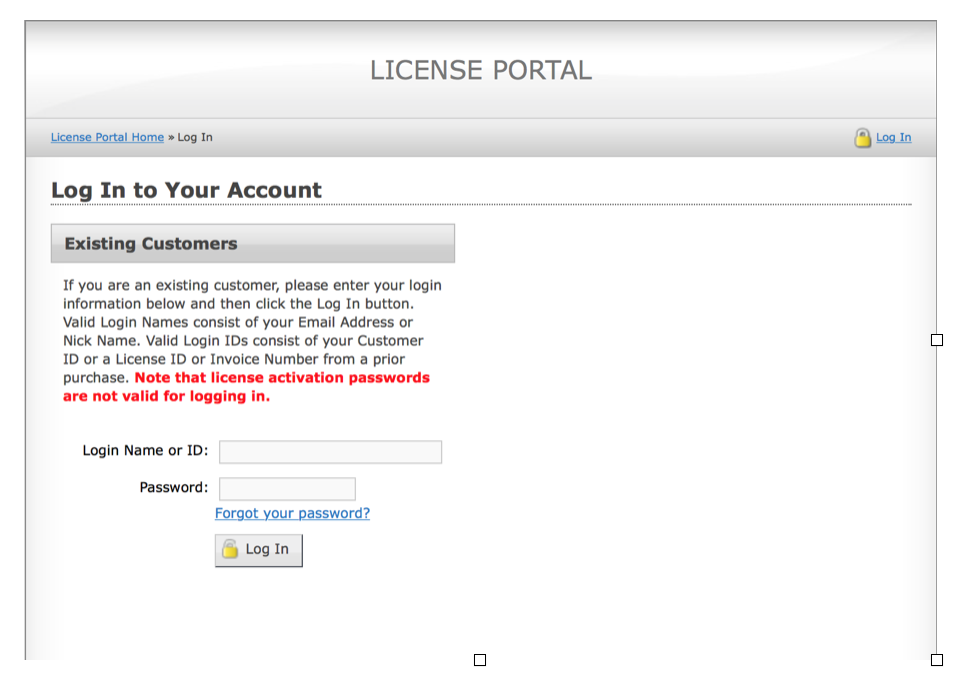
Use the Customer ID and Password Sent in your email.
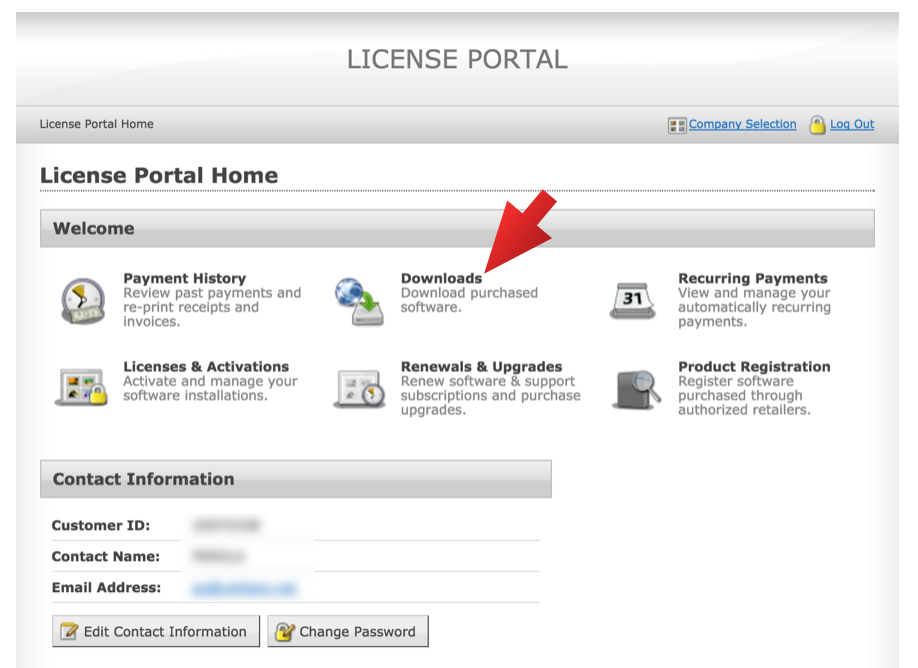
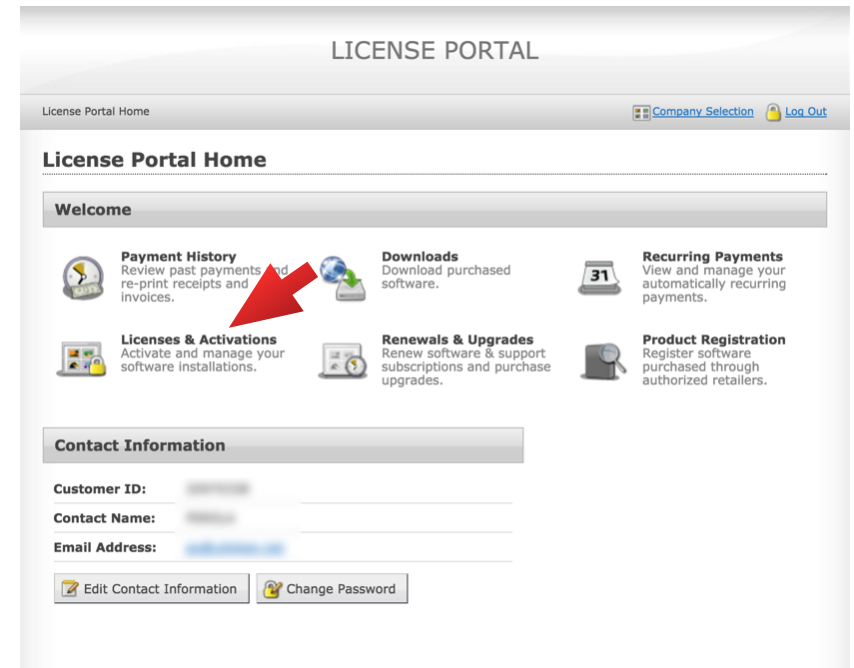
You will be here. To download your software, Click on Downloads:
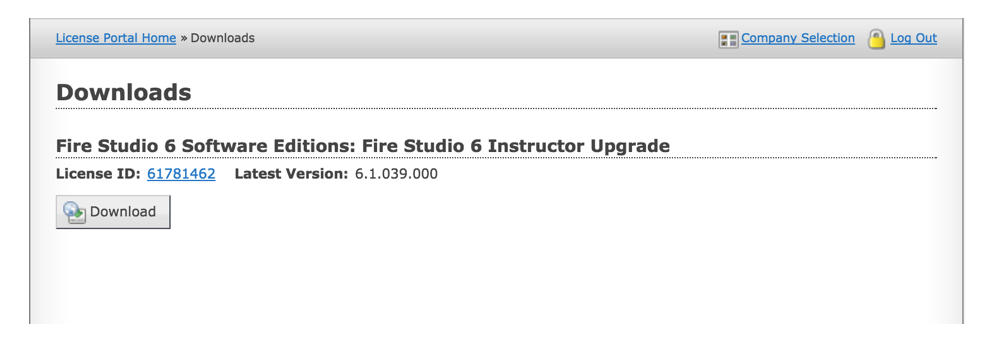
That will take you to here. Click the Download button:
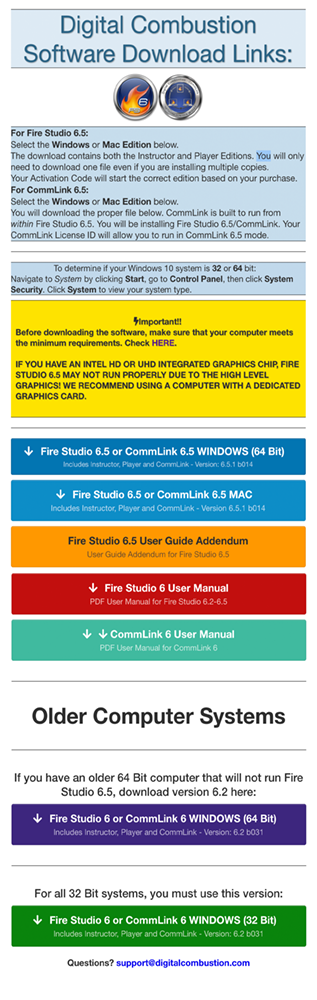
Download the correct version of your software:
Back on your Portal, click on Licenses & Activations.
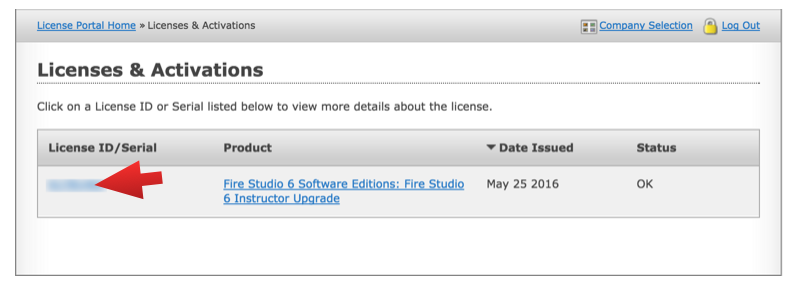
It will take you here. Click on the License ID number:
It will take you to your license details:
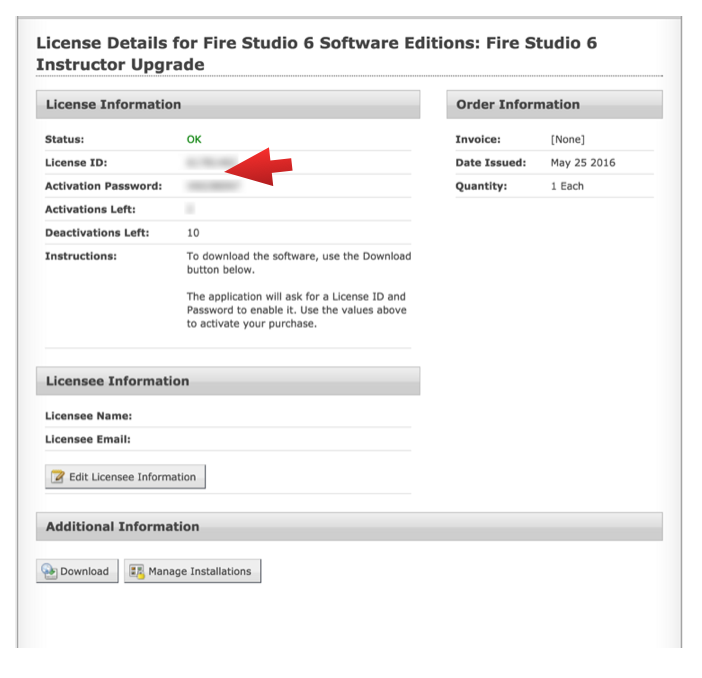
This is the License ID and Activation Password Use to activate Fire Studio when you start the program for the first time. If you ever need to re-download your software or your activation information, you can always find it here. DO NOT LOSE YOUR CUSTOMER PORTAL INFORMATION! Keep your login information in a safe place.